Verifiable digital proof

Certify the date and integrity of your files. With a qualified timestamp from the FNMT.

When you need to show that a file already existed, you will have a proof you can keep and verify. The timestamp adds a legal presumption of date and integrity across the EU (eIDAS).

Qualified timestamp from the FNMT Issued by the FNMT-RCM over your file’s fingerprint: a legal presumption of date and integrity, under Regulation (EU) 910/2014.
Verifiable without relying on Sellat With standard tools and public references we do not control.
PDF certificate and a ZIP with your file You receive the proof and the exact file you sealed by email. If it carries Content Credentials (C2PA), the certificate records them too.

How it works

Three steps. No need to understand blockchain.

  1. 01

    Choose the files

    Select the exact version you want to protect.

  2. 02

    We create the proof

    Sellat calculates its digital fingerprint and creates the evidence tied to that file.

  3. 03

    Keep it and check it

    Keep the proof and use it later to verify that the file matches.

The whole circuit

From the photo on day one to the file you hand over two years later.

One concrete case: you move into a rented flat, photograph the state it is handed to you in, and when you leave your deposit is withheld for damage that was already there. This is what happens in between. The circuit is the same for a contract, a report or a record from your system: the file changes, the steps do not.

  1. Day 0

    You take the photo

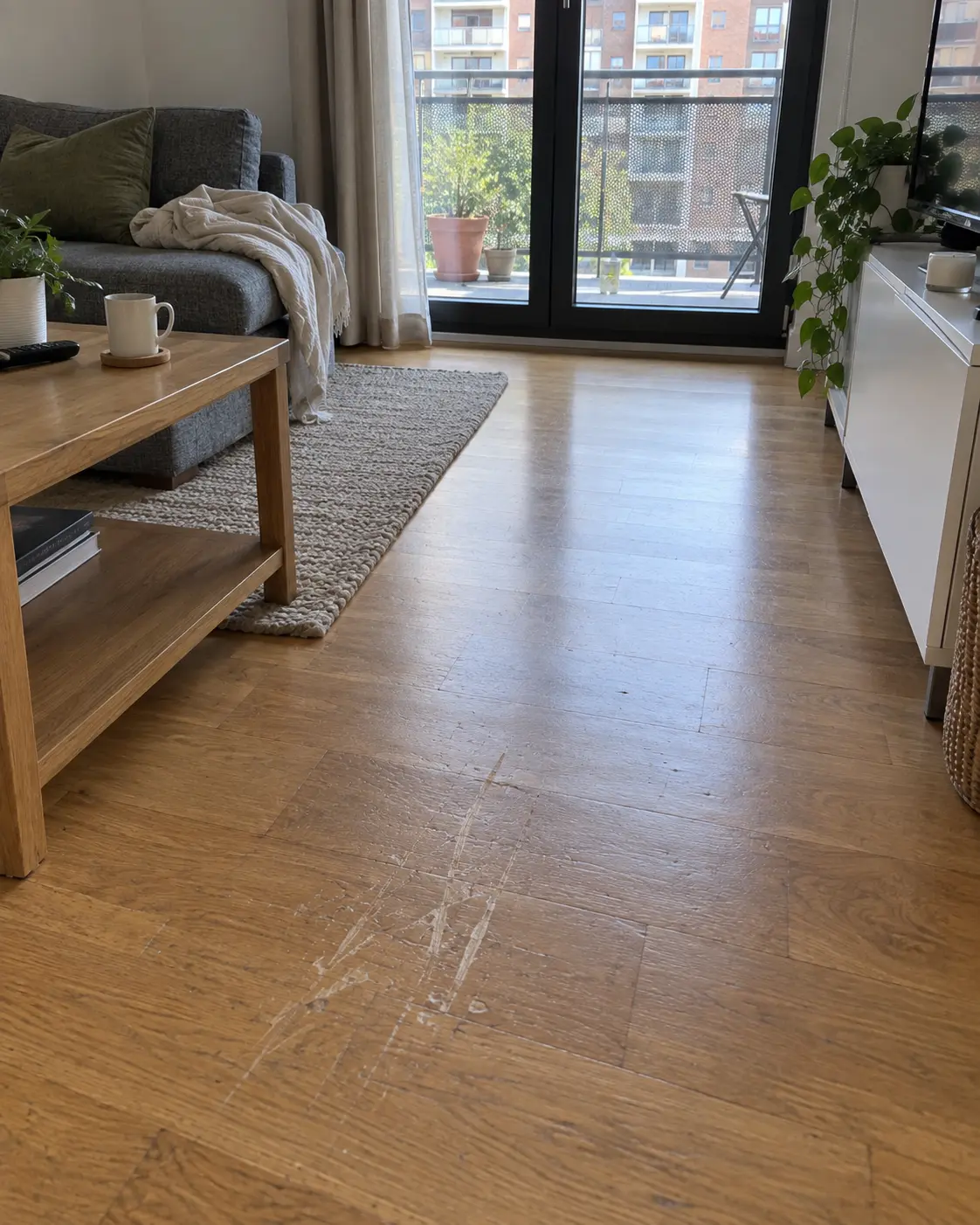
    The day you pick up the keys you photograph the blind, the floor and the rest of the flat. For now it is one more photo on your phone, carrying whatever date your phone says.

    A parquet floor with visible damage, close up in daylight. Illustrative image.
  2. Day 0, two minutes later

    You seal it

    You drag the photos into Sellat. Your browser computes each file fingerprint and only that fingerprint is sent. Add the qualified seal and the date comes from a timestamping authority, not from your phone and not from us.

  3. Day 0, in your inbox

    You receive the package

    The PDF certificate and the full package arrive as a ZIP. You store it next to the tenancy agreement and forget about it. No account and no subscription are needed to keep it.

  4. Two years later

    The dispute arrives

    Your deposit is withheld over the blind. You open the ZIP: inside is the exact photo you took on day one, its fingerprint and the sealed date, with checking instructions in Spanish and English.

  5. The same day

    You hand it over

    You pass that ZIP to your lawyer, to an expert witness or to the insurer. Any of them can check the date and that the file is untouched without asking us for anything and without taking your word or ours.

Sellat does not decide who caused the damage, what it costs to repair or how much deposit you get back. A settlement, an arbitrator or a judge decides that. What the package adds is a date that does not depend on you.

Seal my photos

Inside the package

This is exactly what you open two years later.

Not a promise and not a screenshot: the real list of files Sellat puts in your ZIP. What you see here is generated by the same module that builds the package.

  • original/<archivo> If the original is kept

    Your file, byte for byte

    The exact photo you sealed, in a folder of its own so no other file in the package can be mistaken for it. It travels inside when the original is available: the upload that created the proof, or custody.

  • certificado-<id>.pdf Always

    The readable certificate

    The PDF you show a person or attach to a filing. It is an informative document: what actually gets checked is the file, not the PDF. If the file carried Content Credentials (C2PA), the certificate records them too — who signed, with which tool and whether they declare AI use — exactly as your browser read them when you protected it.

  • proof.json Once the batch is anchored

    The portable proof

    Your file fingerprint, its Merkle leaf and inclusion path, the batch root and the public transaction that records it. This is the piece that lets anyone check everything without Sellat.

  • sello-cualificado-<id>.tsr With a qualified seal

    The qualified seal

    The RFC 3161 response from the qualified timestamping authority, exactly as it was issued. This is the file that fixes the date under eIDAS.

  • autoridad-sellado.pem With a qualified seal

    Who signed the seal

    That authority signing certificate, with its SHA-256 written into the README. It travels inside so the check works offline and nobody has to go looking for it.

  • anclaje-bitcoin.ots Once the batch is anchored

    The Bitcoin anchor

    The OpenTimestamps proof of the batch root. It may still be waiting for a block: it is a valid file and whoever receives it can upgrade it themselves.

  • LEEME.txt / README.txt Always

    The instructions, in two languages

    What each file is, what it proves and what it does not, and the exact commands to check it. In Spanish and English, so an expert or a lawyer never has to ask you anything.

The seal is signed by FNMT-RCM, not by Sellat.

Sellat is not the party attesting the time. The qualified seal is issued by a qualified timestamping authority of the FNMT-RCM, and its signing certificate travels inside your package. We are the intermediary that joins your fingerprint to that seal and hands it to you in a tidy folder.

It checks out without us and without the internet.

With the seal and the authority certificate inside the ZIP, the date is verified with standard tools on the machine of whoever receives it. If Sellat disappeared tomorrow, your package would still check out.

The package proves that this exact file existed on that date and has not been modified. It does not prove who created it, who took the photo, or what happened in front of the camera.

See use cases →

Qualified (eIDAS) timestamp

What a qualified timestamp adds to your proof.

Add to your proof a qualified timestamp issued by the FNMT-RCM (the Spanish Royal Mint), a qualified trust service provider under Regulation (EU) 910/2014. It is issued over your file’s fingerprint and stays inside your proof.

Protect a file

Your first qualified timestamp is free. One per account, on the proof you choose. After that, €6 per timestamp.

See all plans →
  • A qualified timestamp enjoys a legal presumption of the accuracy of the date and time it indicates and of the integrity of the data it is bound to, across the European Union.

  • Anyone can verify it with standard tools (RFC 3161) against the EU trusted list, without relying on Sellat. The timestamp shows that this exact file existed at that moment; not who its author is nor the content of any agreement.

Content Credentials and Sellat

Using Content Credentials? Even better.

Sellat is the layer that survives when the metadata does not.

Inside the file

C2PA / Content Credentials keeps provenance in a signed manifest, normally embedded in the file itself: which tool produced it, who signed it, which edits it carries. It is the file’s history, and it travels with the file.

Outside the file

Sellat anchors existence outside the file: its SHA-256 fingerprint and the moment, on Polygon and on Bitcoin. It depends on nothing the file carries inside, so nothing that happens to the metadata erases it.

C2PA was never the problem. Screenshots, format conversions and platforms that strip metadata are: not all of them do, but it happens often and you do not get to choose. The fingerprint Sellat anchors does not live inside the file, so none of that erases it. What does change is the file: a screenshot or a recompression is a different file with a different fingerprint, and checking the proof needs the exact version you sealed.

C2PA protects the history inside the file. Sellat anchors existence outside it. Your proof stops depending on nobody touching your metadata — only on you keeping the exact version, which is precisely what arrives in the ZIP.

Check an image’s credentials → Read: what Content Credentials are and why they can disappear →

The same idea, at any scale

One file or a million. The same proof.

The same proof logic can be part of applications and workflows that handle large volumes.

See the API →

Optional custody

The proof demonstrates. Custody preserves.

If you want it, Sellat keeps the original too, not only the proof. It is optional, the proof does not depend on it, and you can withdraw it whenever you like.

See Custody and pricing →

Have the proof ready before you need it.

Protect the exact version of the file you want to be able to recognise later.

Protect files